ANDREW SIPES
GAME DEVELOPER

SpellStorm is a third-person action-platformer where you can mix different elements to create new spells and unique gameplay. As the wizard, you'll embark on a quest to defeat challenging enemies, engage in mind-bending puzzles, and collect stars while mastering various spell combinations and gameplay mechanics along the way.
Platform: PC
Playtime: 5 mins
Engine: Unreal Engine 5.2
Roles: Gameplay Programmer, Combat Design, Team Lead
Development Duration: Sept 2024 - Nov 2024
Team Size: 5
Itch: codecrashers.itch.io/spellstorm
Download: SpellStorm
MY ROLE
-
Developed the initial game concept and pitch.
-
Designed and implemented spell combat mechanics, including the token system, spell abilities, and effects.
-
Facilitated daily stand-up meetings, sprint planning, and milestone completion.
-
Updated and managed project tasks in Jira.
-
Consistently updated Confluence project information during development.
-
Led the integration of User Interface, Animations, and Enemy AI into the core game play.
-
Conducted comprehensive debugging to ensure stability and functionality before key milestone submissions.
-
Developed solutions for complex challenges through effective team collaboration.
The spell token system was designed to give player's an engaging experience, with a variety of different effects and options to enhance their gameplay. Our goal was to give players the ability to play how they want with very few limitations other than the amount of available combinations at any given time. To accomplish this we developed a universal token cooldown, and gave the player 2 tokens per element: Fire, Earth, Water, Wind. The player can then either use single tokens, or combine tokens to create a different spell
These were the spell combinations we came up with:
Element 1 | Element 2 | Spell | Description |
|---|---|---|---|
Water | NotUsed | Waterball | Projectile that does initial water damage and can grow platforms |
Wind | NotUsed | WindGust | Projectile that will lift an enemy in the air for a short time |
HOW DOES THE SPELL TOKEN SYSTEM WORK?
In the center of the screen is a crosshair, that also operates as a visual indicator for tokens are queued and tokens that are available. The center shows the queued tokens, for example if you queued a single fire token, the left side of the center square would be colored red. If you had a fire token and an earth token queued, you would see a red and brown in the center, the left side of the square corresponds with the first token queued, and the right side corresponds with the second token queued. If you cleared the queue the middle would turn back to white. If you have tokens on cool down, their corresponding indicator would not be show in the user interface.
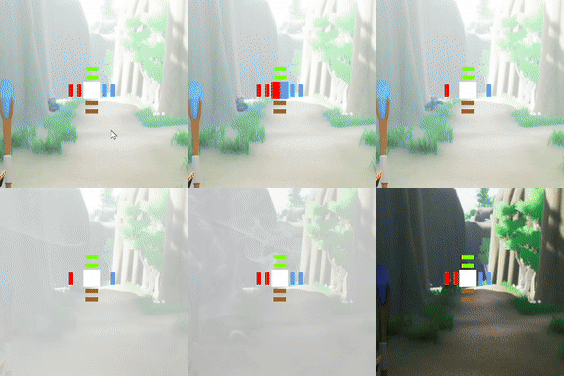
Here you can see how the tokens correspond, the left side of the cross hair has 2 Fire tokens, the right side has 2 Water tokens, the bottom has 2 Earth tokens, and the top has 2 Wind Tokens.

Now you can see when the player queues 2 Earth Tokens, the middle turns brown, displaying the queued tokens. After Earth Bubble is cast, the middle turns white and the tokens are now not visible


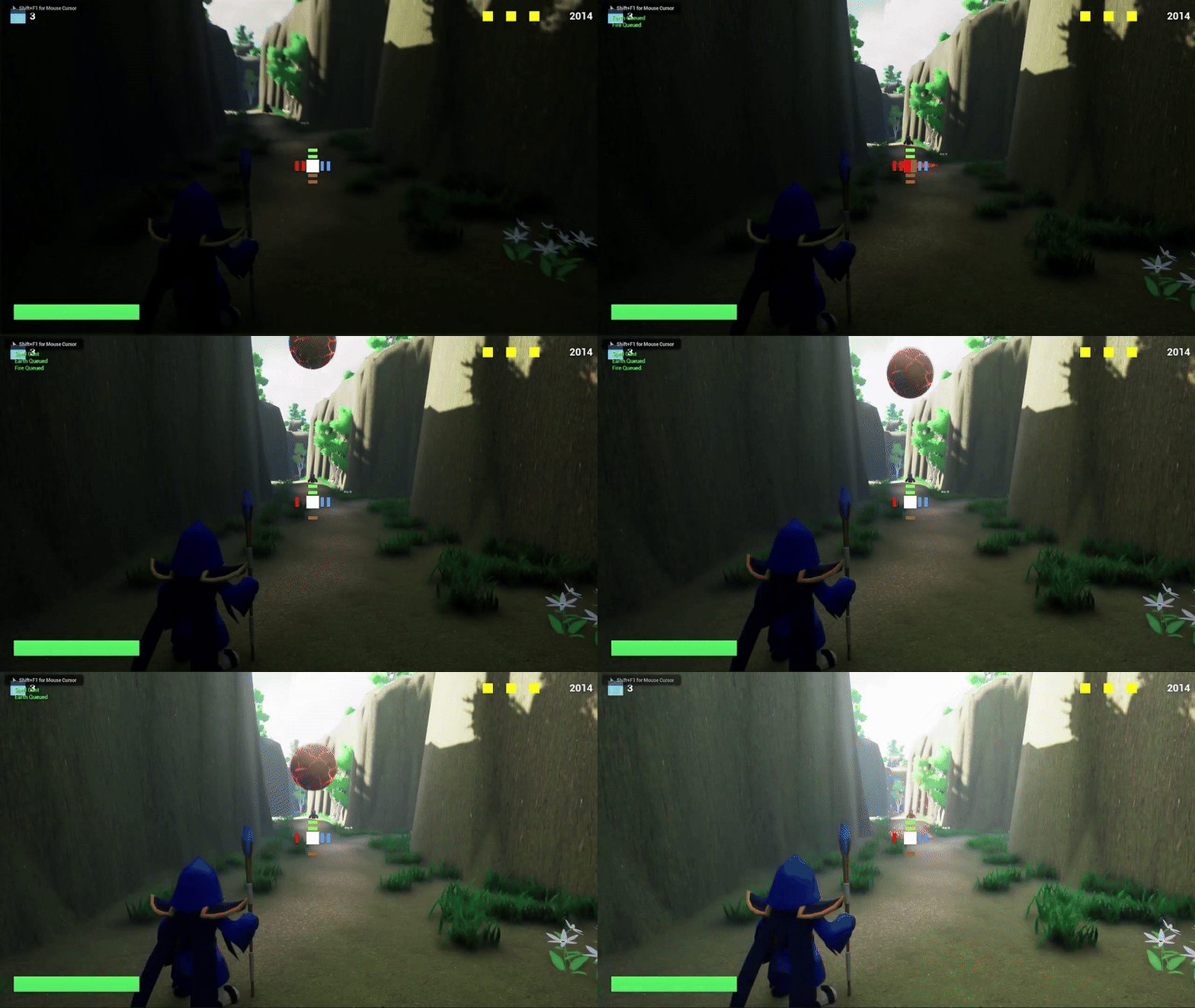
In this example, we're conjuring the Meteor Spell.
The player is presses "1" to queue Fire, "2" to queue Earth, and "Left Mouse Button" to cast the spell.
You can see the center UI fills up with the tokens, but they are not spent until the spell is cast.
BEHIND THE SCENES
To make this work in code, we're tracking the status of each token, then we pass them as references in several methods to ensure these values remain consistent throughout the system.
First we check to see if the token that was requested to be queued is available, then the spell queue array is updated with the proper element type. There is a special condition when both tokens are queued which goes through a separate verification.
When the player decides to cast their spell, we use nested switches to determine which combination of elements equates to which spell to use. Since the order of the elements doesn't matter, we account for this making sure the order is arbitrary in code. Once the spell is determined, we set the ability that we plan to cast, then determine which tokens need to get placed into cooldown state.
Note: I'm only displaying part of the cast since we would have additional nested switches for the remaining combinations
Once the spell is cast, we check which elements were queued, then place them into a std::queue using the method FindAndFlipToken which tracks the pointer addresses of the tokens that have been spent.
When Find and Flip token is executed, we're using a timer function to pop the token from the queue and make the token available again. When the timer expires the tokens are refreshed and the Delegate call refreshes the UI